
Near Real-Time Data
Our dashboard provides trusted, near real-time data, that helps you make informed decisions faster than ever.
LifeguardPortal™ makes accessing, sharing, and reporting data faster and simpler in every role, turning your insights into informed action.
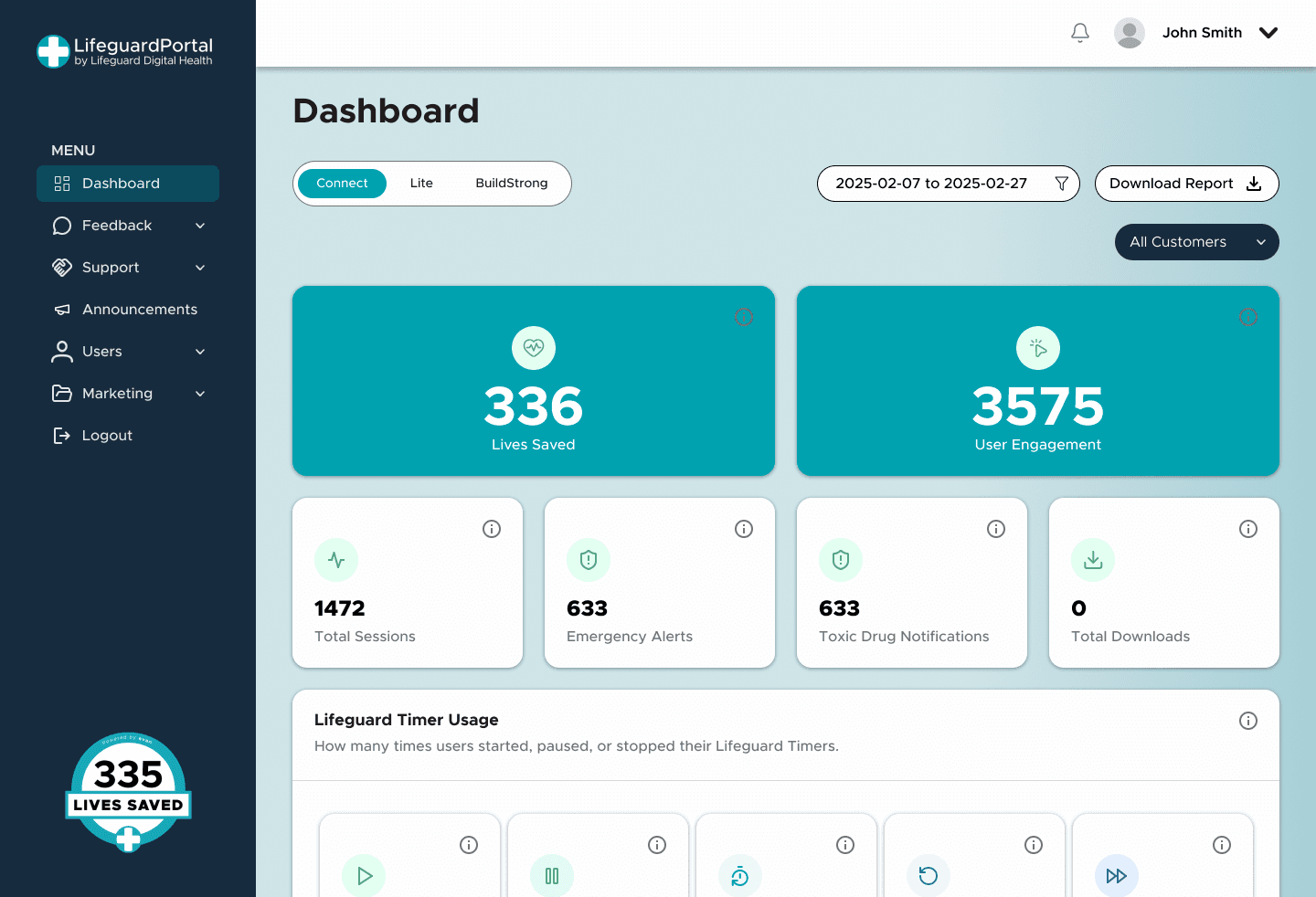












Explore the features designed to make accessing your data effortless through LifeguardPortal™.
Our dashboard provides trusted, near real-time data, that helps you make informed decisions faster than ever.
A built-in marketing materials library for client use, design to support your communications.
Easily export your reports based on building, date range, and the report type, with two simple clicks.
Gain full control of your insights with one simple, secure login.

Jeff Hardy
Founder & CEO
Meet Jeff Hardy, the driving force behind Lifeguard Digital Health. After the loss of his dear friend Evan Berezan, Jeff was motivated by a simple goal: to prevent even one more person from experiencing the pain of a preventable loss. With an entrepreneurial background and a clear sense of purpose, he leads Lifeguard DH in developing reliable, timely, and efficient digital solutions that strengthen public safety, improve connection, and save lives. LifeguardPortal™ is a natural extension of this mission, enhancing access to what matters most so organizations can make more timely and informed decisions.
Only authorized users with valid credentials issued by Lifeguard Digital Health can access the portal. If you are a new partner, contact your Lifeguard DH account manager to get started.
Make sure you're using the correct email and password, your email is verified, and your account hasn't been deactivated. If you're still facing issues, you can click the Forgot Password link on the login page or contact our support team at technicalsupport@lifeguarddh.com.
Training guides and videos are available under Resources + Training Center in the portal menu.
Go to the Reports tab, choose your building, date range, and the report type (alerts, sensor uptime, room analytics). Click Download CSV or Export PDF.
Navigate to Alerts or Room View, select the building and room, and you'll see all active and historical alerts for that unit.
More questions? Please at technicalsupport@lifeguarddh.com
See how we're using data to strengthen emergency response, bridge critical gaps, and shape safer outcomes that save lives every day.